
Money in KTO: a ledger that actually balances
title: Money in KTO: a ledger that actually balances tags: Finance, Features
KTO started as a money tracker. Everything else came later. This is a tour of the part I still use every single day: the ledger, reconciling it against the bank, and the recurring bills that fill most of it in for me.
Not covered here: net worth, assets, investment accounts. Those get their own post.
The ledger
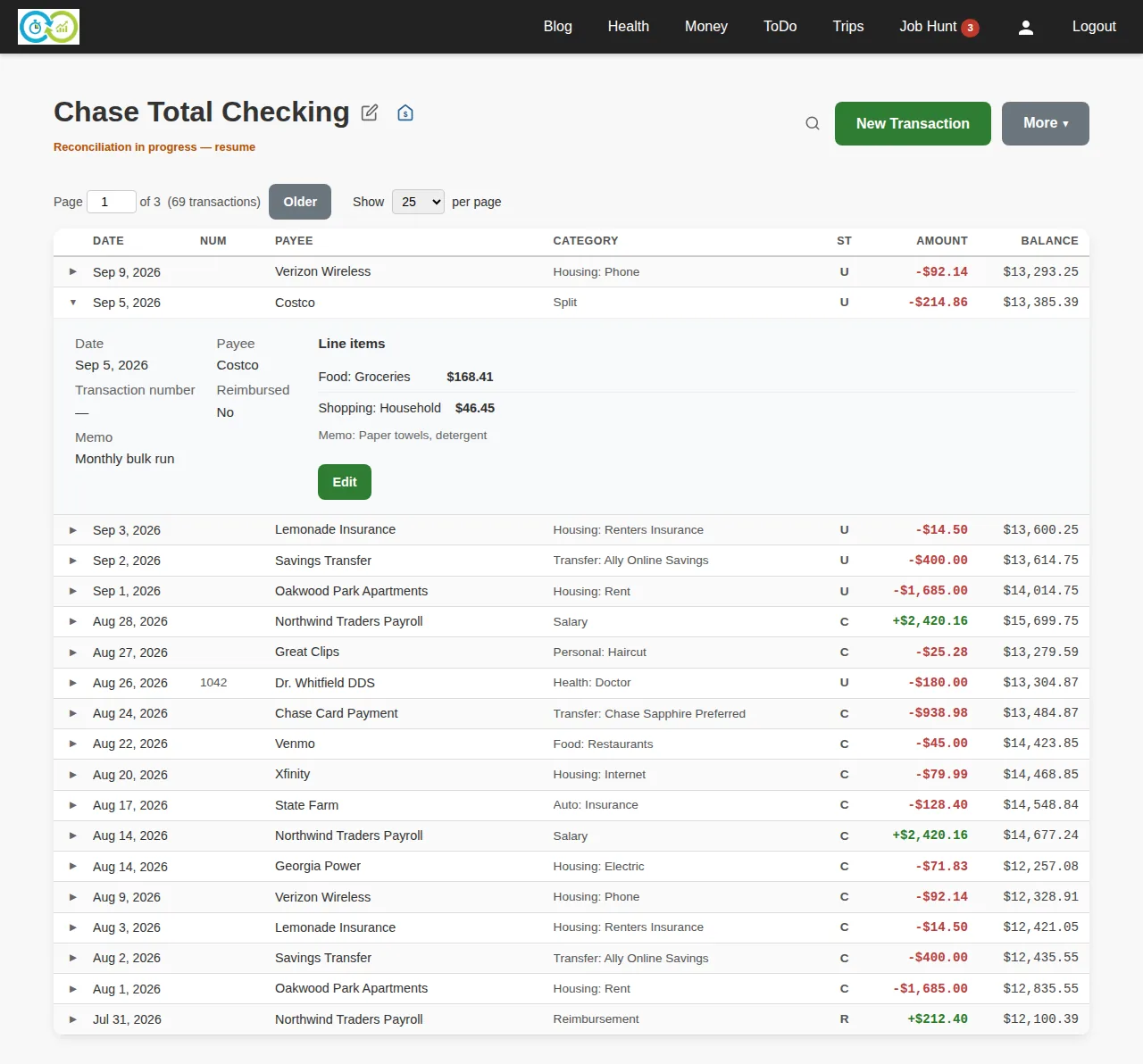
Every account gets a ledger. One row per transaction, newest first, with a running balance on every row. It's a checkbook register, minus the checkbook.
A few things the register never gave you:
- Status on every row. U is unreconciled, C is cleared (you ticked it during a reconciliation that isn't finished yet), R is reconciled. The ledger above has all three at once: September is untouched, August is cleared, July and earlier are locked.
- Split transactions. One Costco receipt, two categories. Expand the row and the line items are right there. The category column says "Split" so you know there's more underneath.
- Check numbers. The NUM column exists because paper checks still exist. Check 1042 in the ledger above is the one the dentist hasn't cashed yet, which matters in the next section.
- Payees and categories that build themselves. Type in the payee box and it searches what you already have, or offers to create the new one. Same for categories. You do not set anything up in advance.
Entering a transaction
The form is the ledger row turned sideways. Account, date, payee, then line items: category, amount, memo. Add a second line and it's a split. Negative is spending, positive is a deposit.
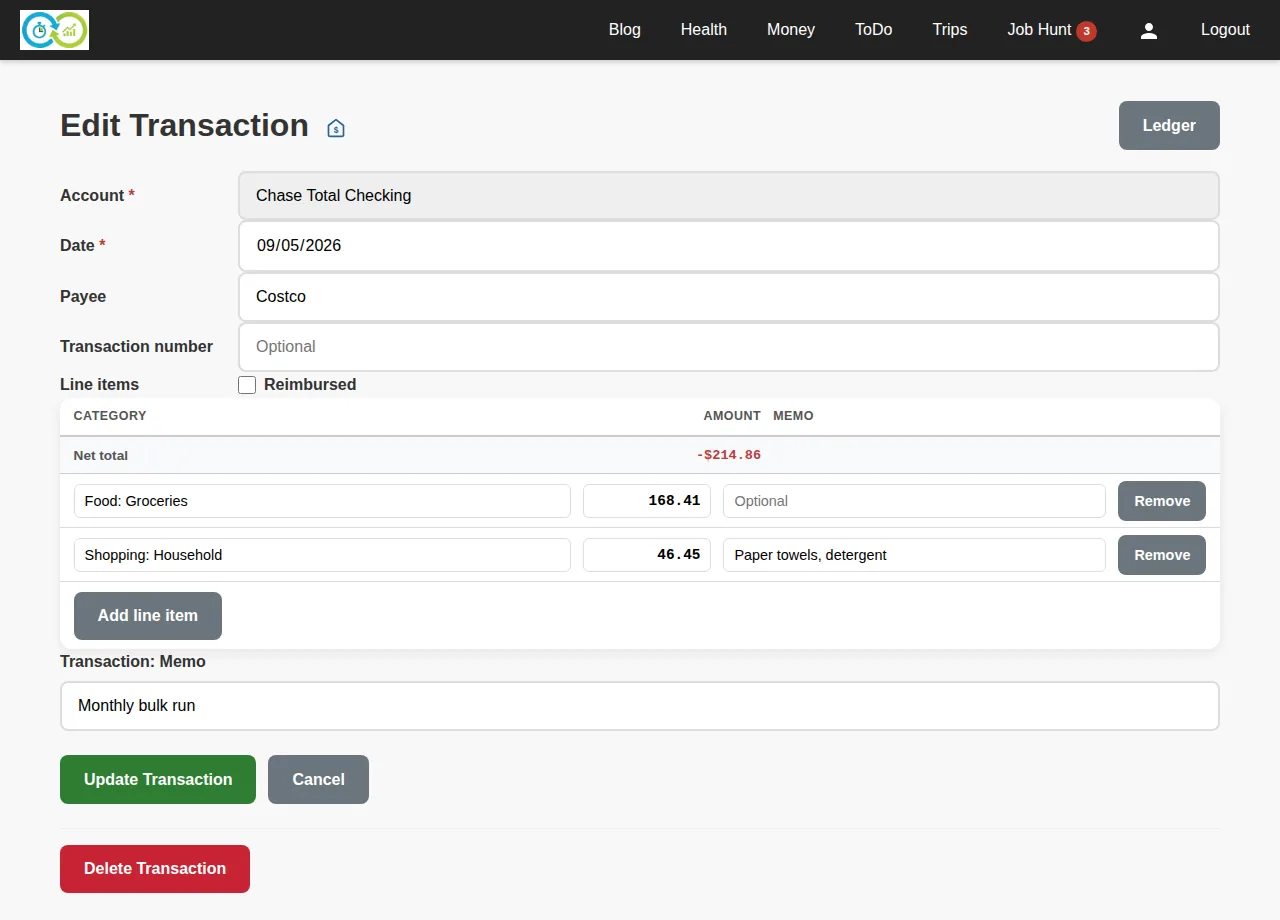
There's an Enter another transaction checkbox for the receipt pile: save, and the form comes back empty with the same account and date. Ten receipts takes about two minutes.
If typing isn't your thing, the ledger also takes QIF files from your bank, and Financial Automation subscribers can link the bank directly and let transactions arrive nightly. Both land in the same ledger with the same statuses, so everything below still applies.
Reconciliation
This is the feature I'd keep if I had to keep one. Once a month, when the statement shows up, you check the ledger against it. Pick the account, enter the statement date and the closing balance, and KTO lists every transaction that hasn't been reconciled yet.
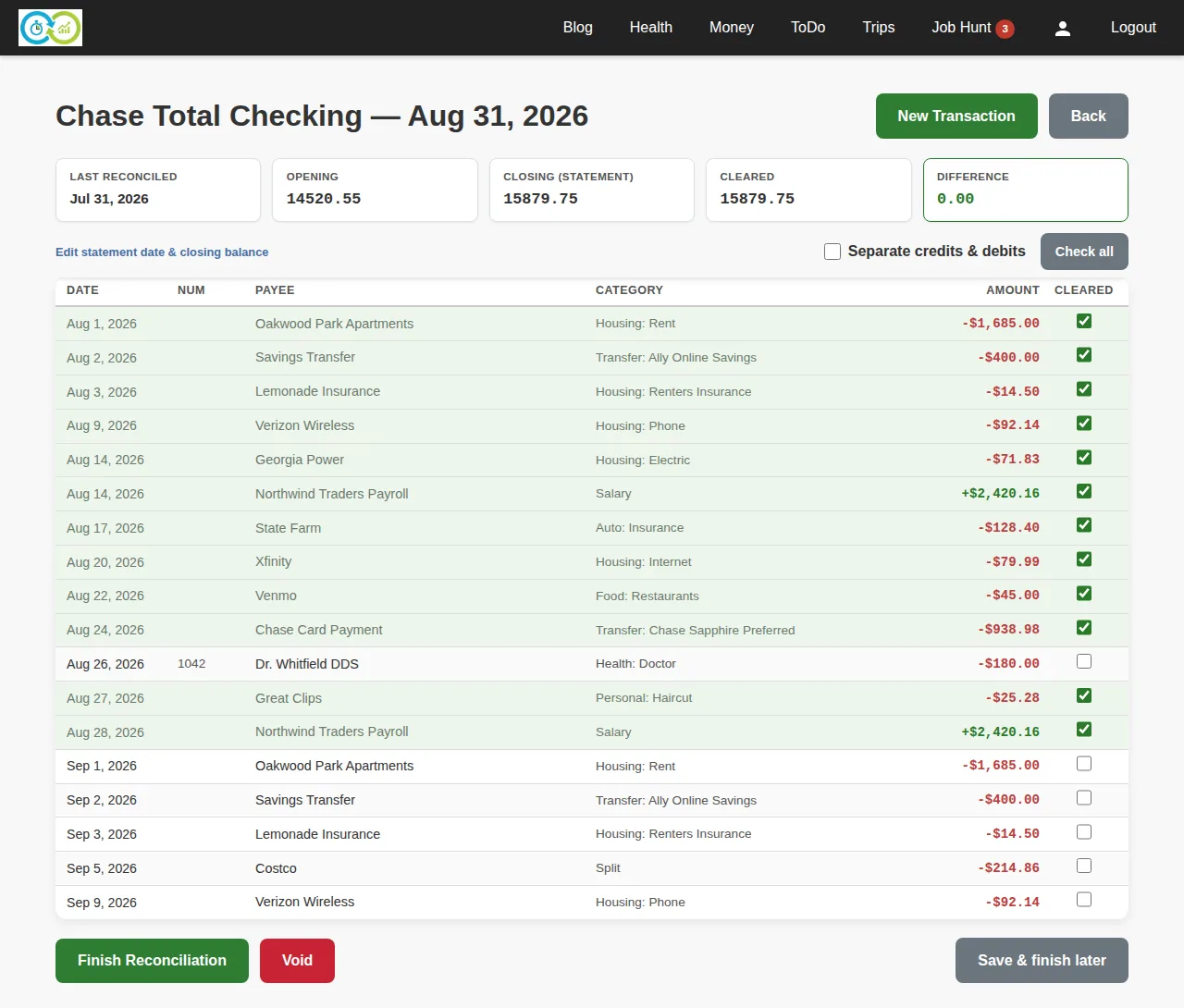
Tick each row that appears on the statement. The Difference box updates as you go. When it hits zero, the ledger and the bank agree and you finish.
The screenshot is what a good month looks like. Every August transaction is ticked except check 1042, which the bank hasn't seen yet, and the difference is 0.00. The September rows at the bottom aren't on this statement, so they stay unticked and roll into next month. Finish, and every ticked row flips to R, the account gets a "last reconciled" date, and the closing balance becomes next month's opening balance.
What's easy to miss:
- Reconciled rows are locked. Once a row is R, the reconciliation page won't let you untick it. That protects the opening-balance chain: if you could pull a March transaction out, every month after it would be wrong.
- You can stop halfway. Save and finish later is a real button. The ledger shows a "Reconciliation in progress" link until you come back.
- You can fix the ledger mid-reconcile. Forgot to enter something the bank has? New Transaction is right there on the page. Enter it, tick it, difference goes to zero.
- Void exists. Bad statement, wrong closing balance, whatever. Void resets every C back to U and you start over.
When the difference won't reach zero, the answer is always on the page: the difference is exactly the amount you're missing, or exactly the amount you fat-fingered.
Recurring transactions
Rent, paycheck, streaming, insurance. Most of a month's ledger is the same rows as last month with a new date. Recurring transactions are those rows saved as templates with a schedule.
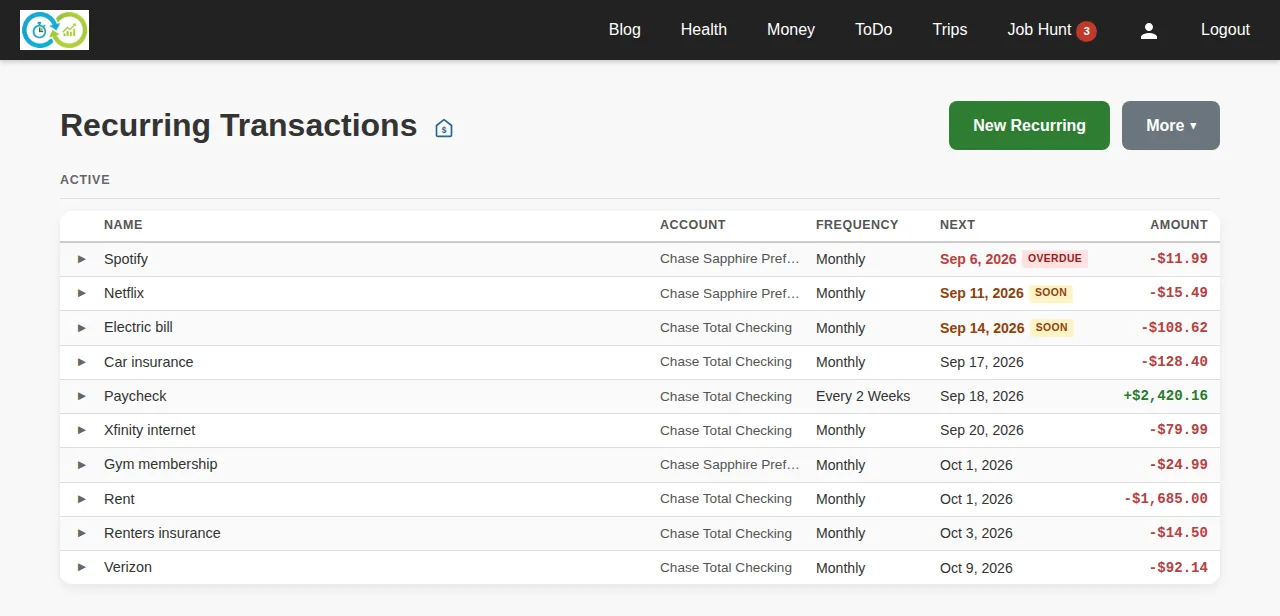
Each one is a name, an amount, an account, a payee, a category, and a frequency: every N days, weeks, half-months, months or years. Every 2 weeks for a paycheck. Every 1 month for rent.
Nothing posts on its own. When a bill comes due, it shows up on the Money page under Upcoming Recurring, and on this list with a SOON or OVERDUE badge. You click Record and get a form pre-filled from the template:
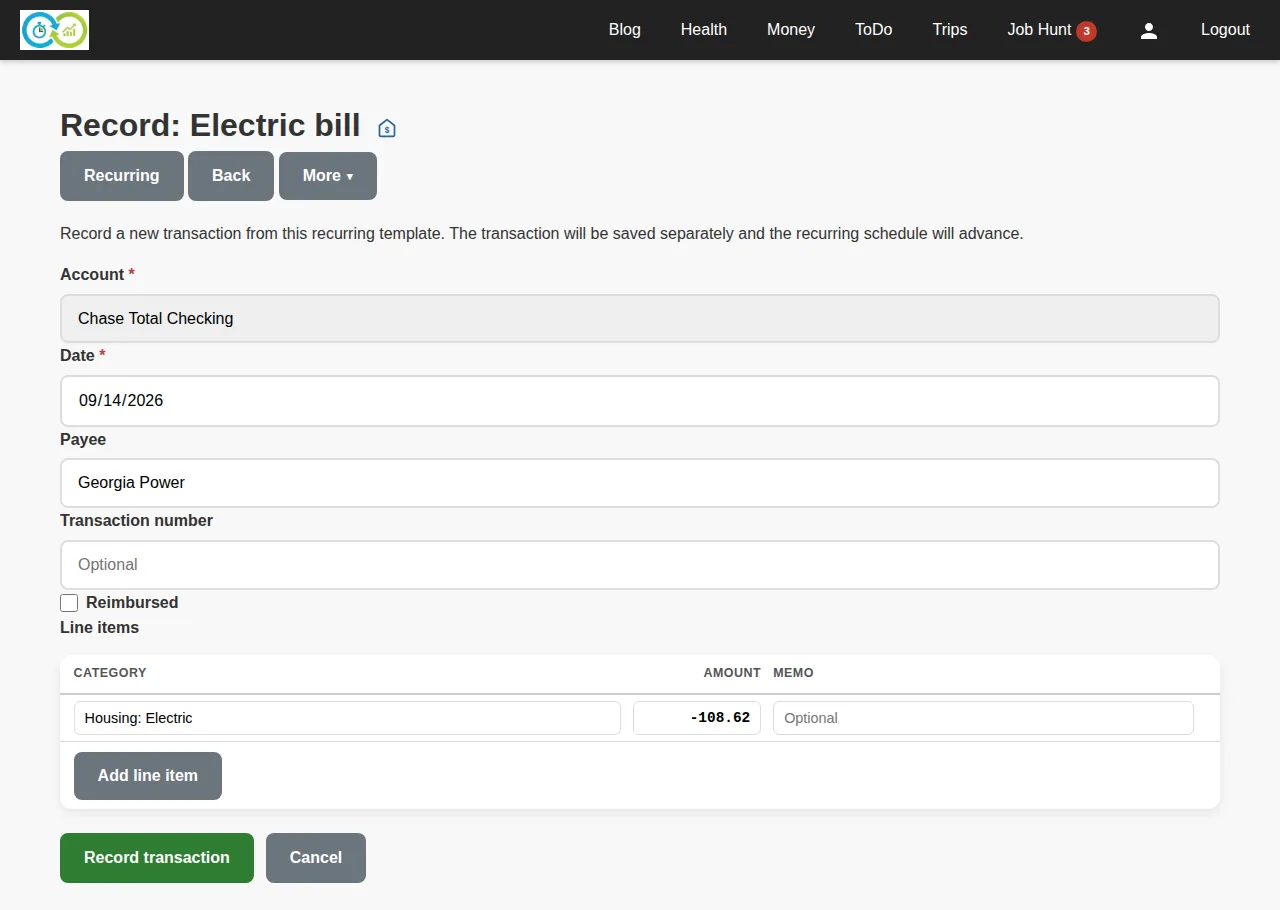
Change the amount if the bill changed (the electric bill always changed), save, and the schedule advances to the next date. If a bill didn't happen this month, Skip advances the schedule without posting anything. Pause one while you're between apartments; it stops nagging and keeps its history.
That's the whole feature. It exists because "did I already enter rent?" is a question a ledger should answer for you, and because a bill you haven't recorded should be visible before it's late, not after.
The Money page
All of the above rolls up to one screen: account balances, what's coming due, what you entered most recently.
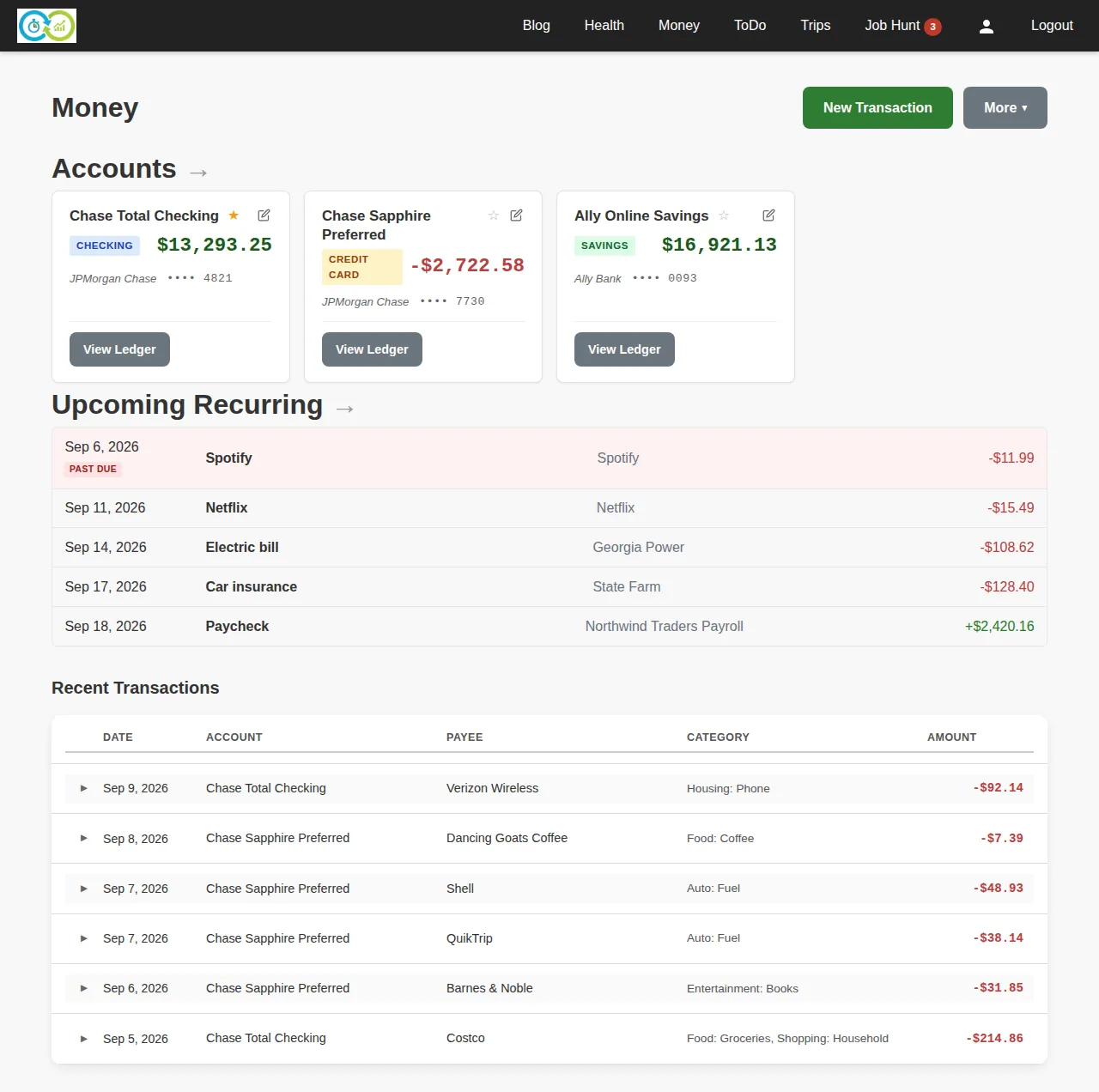
That past-due Spotify row is the point. You open KTO, and the thing you haven't done is at the top in red.
The point
A ledger you don't reconcile is a guess. A ledger you reconcile monthly is the truth, and it stays the truth because every row after the last statement is either something you typed or something a template typed for you. The reconciliation page is where you find out which of those you got wrong.
Money lives under Money in the nav, or at /m. Start with one account and this month's statement. The first reconciliation is the hard one; after that it's ten minutes a month.