
Trips in KTO: an itinerary that knows how long the drive is
Every trip I've planned started the same way: a note on my phone with hotel confirmation numbers, a spreadsheet with a "cost" column, and a group chat where someone asks "what time do we need to leave?" and nobody knows. Trips is those three things in one place, plus the driving math.
This is a tour using our October trip to Asheville. Four days, three people, one cabin, a lot of leaves.
The itinerary
A trip is a name, a destination, and a date range. KTO makes one day per date, and everything you add lands on a day.
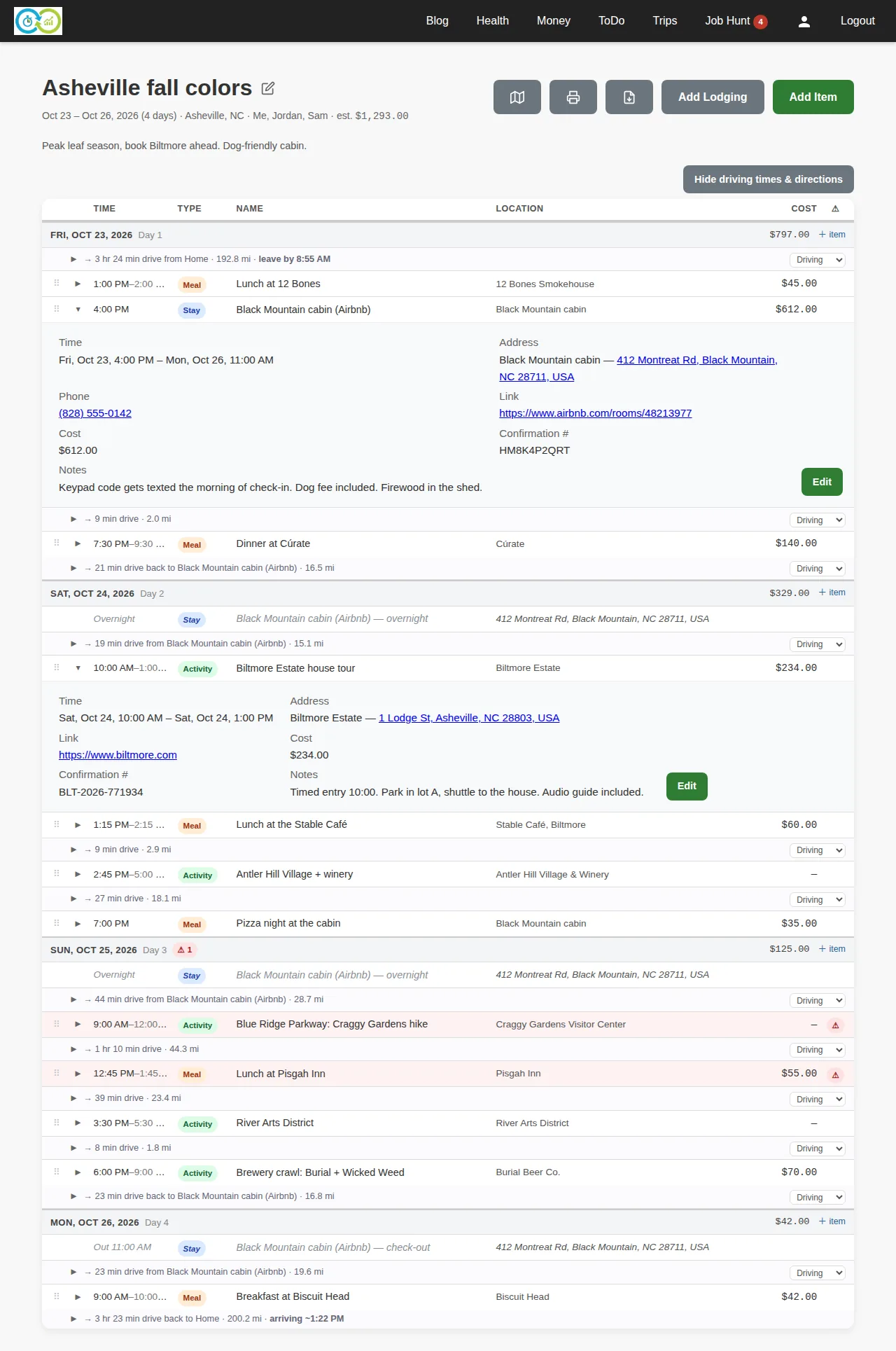
Reading down the page:
- One row per stop. Time, type (meal, activity, stay, travel), name, where, what it costs. Click a row and it opens: address, phone, link, confirmation number, notes. The cabin's keypad note and the Biltmore's "park in lot A" note are right there, not in a screenshot of an email.
- Travel legs between stops. Give a stop an address and KTO geocodes it. Two located stops in a row get a leg: 9 min drive, 2.0 mi. Every leg has a mode dropdown, so the trip from the brewery back to the hotel can be a walk.
- The drive there and back. Give the trip a start location (Home) and the first day opens with the drive from home and a leave by time worked back from the first stop. The last day ends with the drive back and an arriving time. That's the group chat question answered before it's asked.
- Lodging spans nights. The cabin is one item, check-in Friday to check-out Monday. Saturday and Sunday show an Overnight row so the day reads correctly, and the legs each morning start from the cabin.
- Costs roll up. Per day in the header, per trip at the top. The estimate up top is what the trip is going to cost, not what you remember it costing.
Timed items sort themselves. Untimed ones sink to the end of the day. If you'd rather order a day by hand, drag the rows and your order wins from then on.
Adding a stop
Add Item is the form for everything that isn't a bed. Day, type and name are required. Everything else is there when you have it.
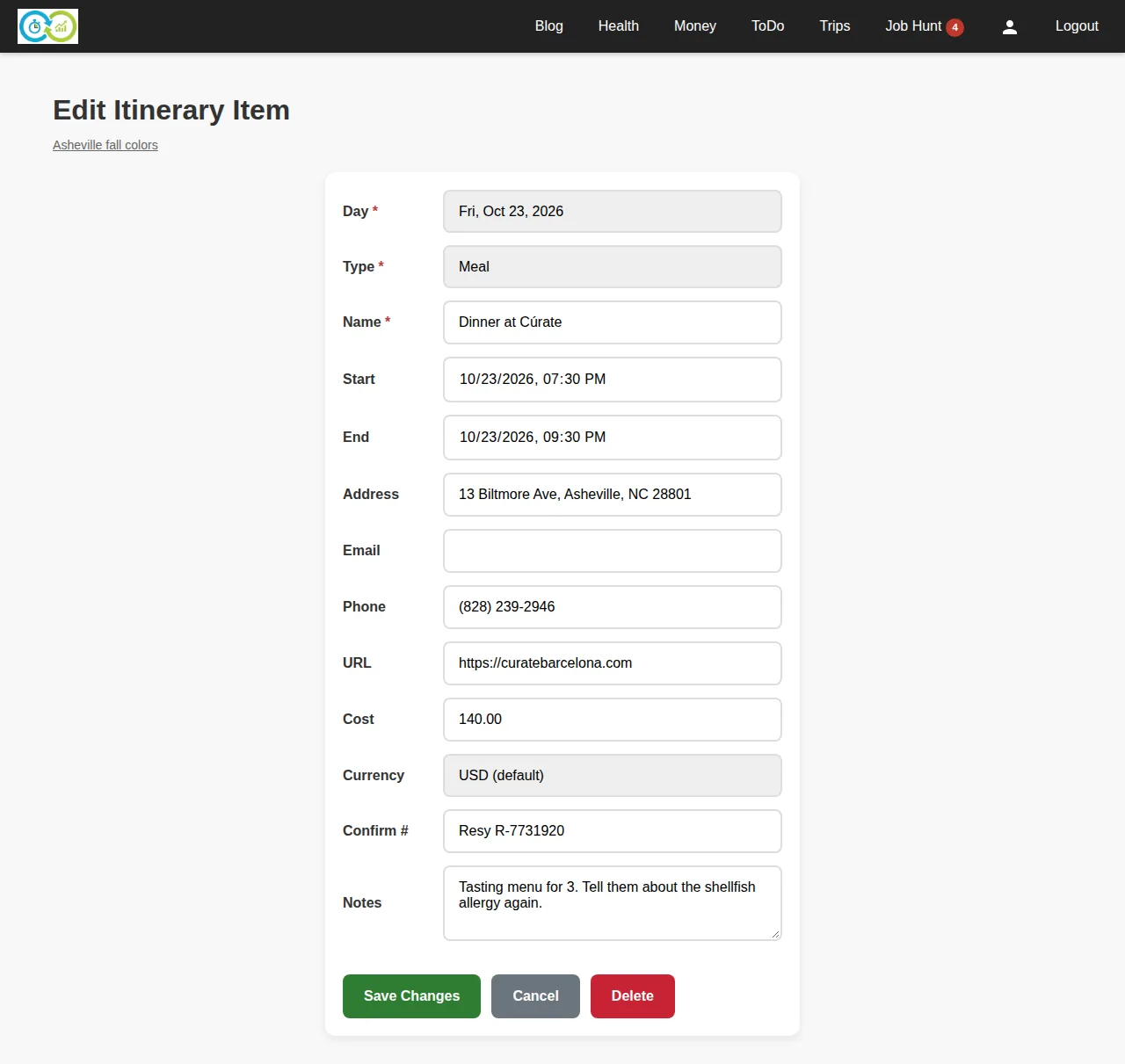
Addresses autocomplete as you type, and a saved address is what makes the travel legs and the map work. Cost takes a currency, so a trip that crosses a border keeps its subtotals separate instead of pretending 100 euros is 100 dollars.
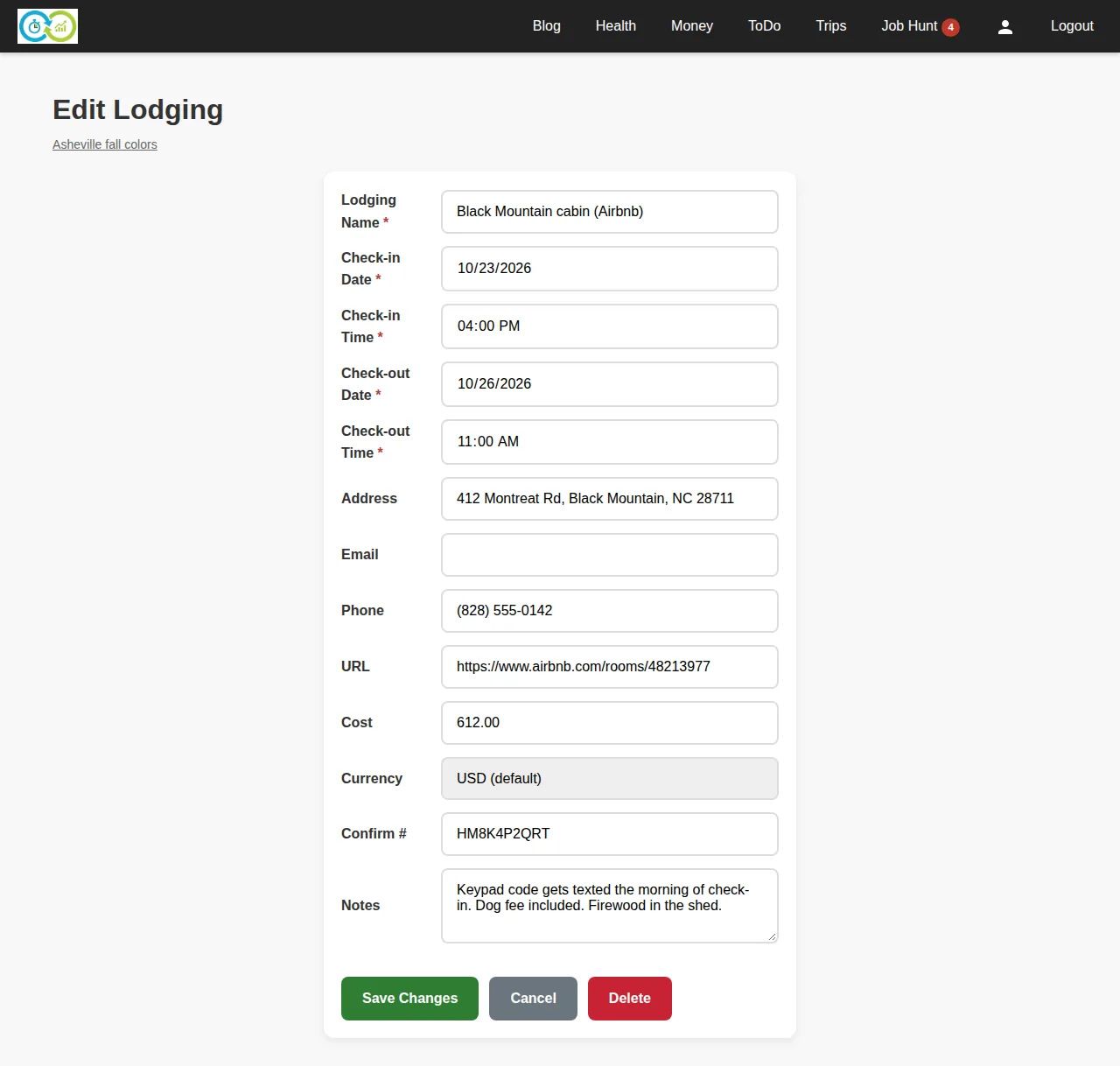
Lodging has its own button because it doesn't fit on one day. Check-in date and time, check-out date and time, and the same contact and cost fields as everything else.
Conflicts
This is the part I wanted. Sunday looks fine in a spreadsheet: hike until noon, lunch at 12:45. Then you find out the Pisgah Inn is 44 miles down the Parkway.
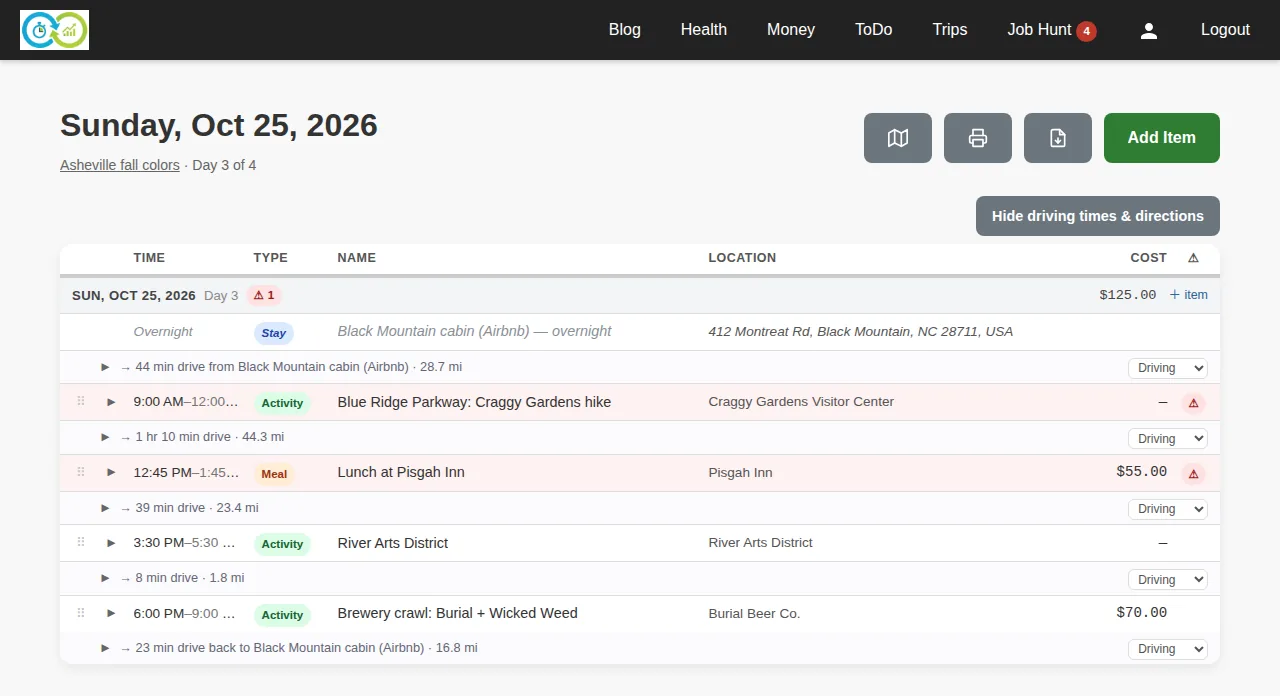
KTO adds up the drive time and a ten-minute buffer, sees 45 minutes between the two, and flags both rows. The day header gets a count so you can see it from the trip page. Overlapping stays get the same treatment. Nothing is saved; conflicts are worked out every time the page renders, so fixing the lunch time makes the flag go away and nothing else changes.
Every day also has its own page, which is the one you open on your phone that morning.
The map
The map button puts every located stop on a map, numbered in itinerary order, with the list alongside.
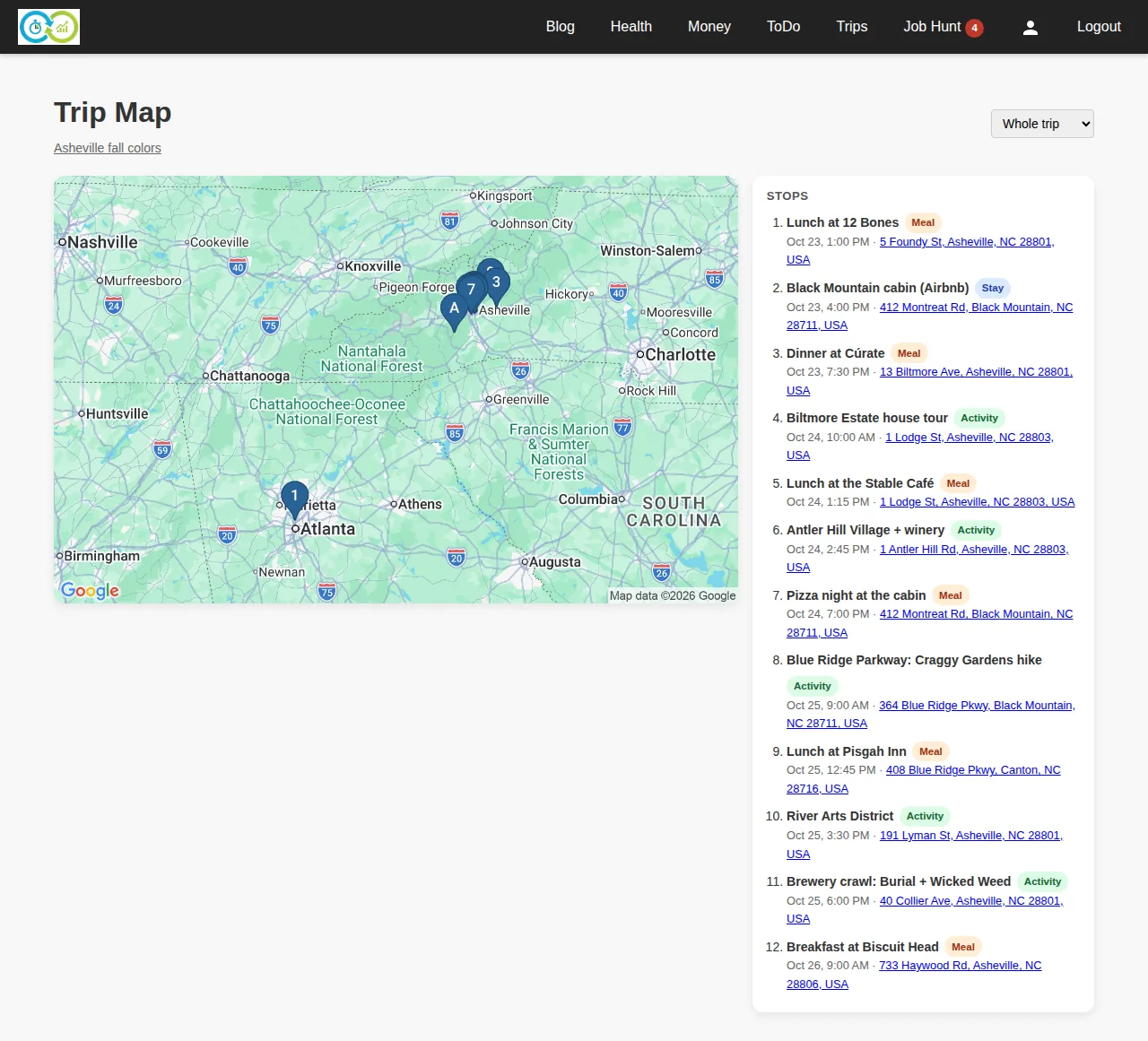
Pick a single day and it becomes a route map for that day's stops, in whichever travel mode you choose. Stops without an address, or with one that couldn't be found, are simply left off. A bad address never breaks the page.
Print and PDF
The print view is the whole itinerary with every detail expanded, no navigation, no buttons. It's the thing you hand to the person who isn't going to open an app.
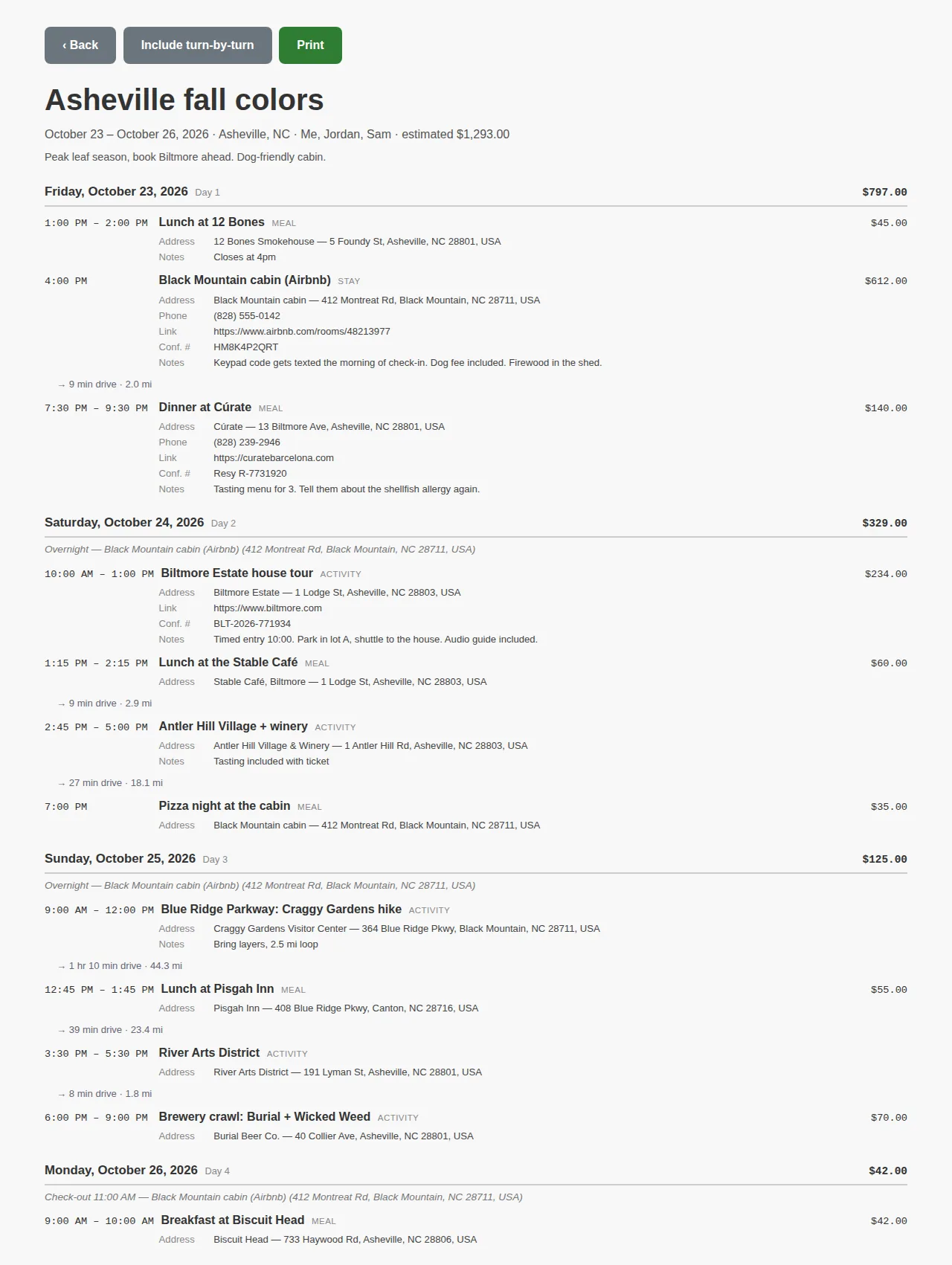
PDF is the same page as a file, with an option to include turn-by-turn directions for each leg and a map of the trip or of each day. Each day is also its own PDF from the day page, which is the one that ends up in the glovebox.
The point
The spreadsheet version of this trip had the right stops and the wrong times, and I wouldn't have known until we were on the Parkway. The itinerary version knew before I finished typing it in. That's the whole feature: write down where you're going, and let the thing that knows how far apart the places are do the arithmetic.
Trips lives under Trips in the nav, or at /t. Start with the dates and the hotel; the rest fills in as the plans do.