
Health
The Health section tracks exercise, food, meals, and free-form health notes, and charts them on a dashboard you compose yourself. Open Health from the navigation bar.
On this page: Dashboard · Exercise · Food · Meals · Notes
The dashboard
The dashboard is a grid of charts you define, drawn from your logged data:
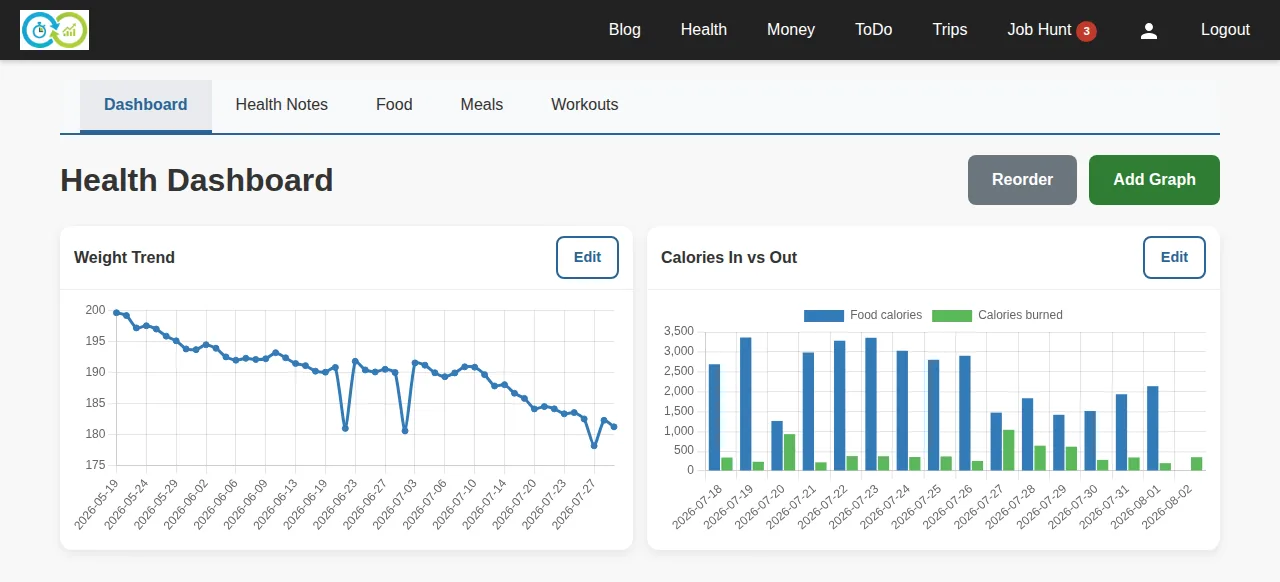
Add one with Add Graph:
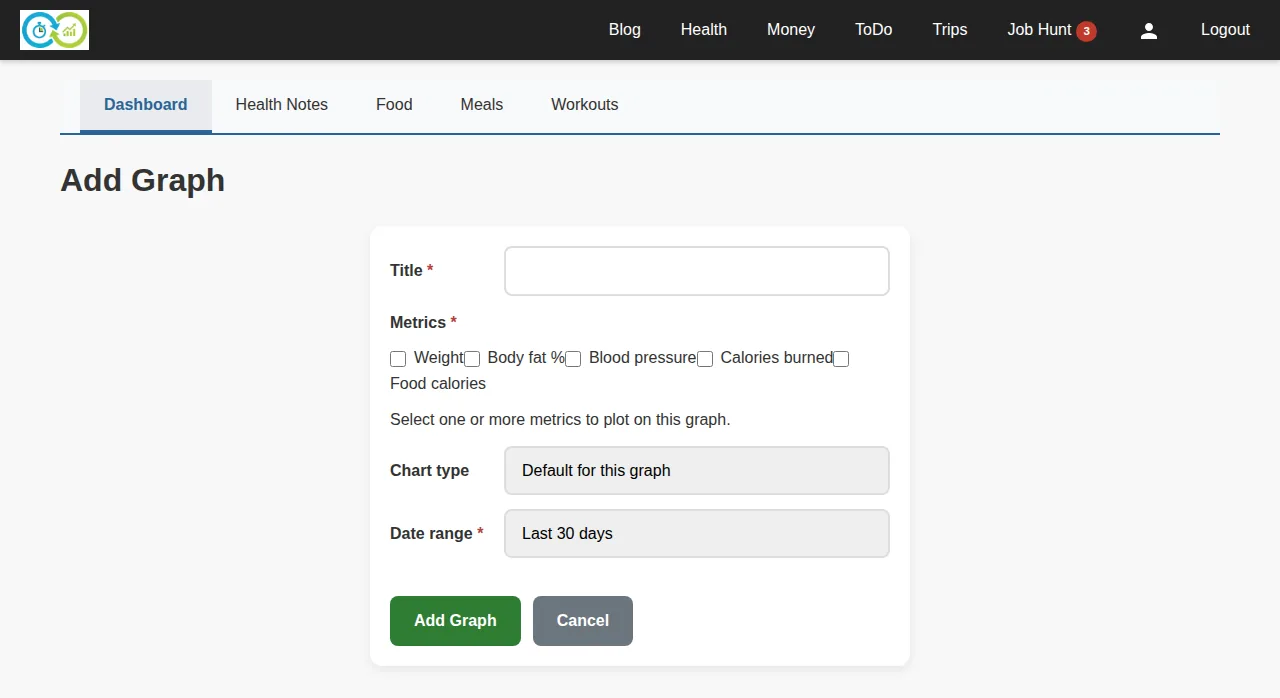
Required: a title, at least one metric to plot (weight, calories, exercise volume, …), and a date range. Optional: the chart type and, for a custom range, its start and end dates. Drag widgets to reorder them; edit or delete them any time.
Exercise
Exercise tracking has two ideas:
- Exercise actions are the movements you do — "Bench Press", "Running". Required: name, what it tracks (weight/reps, duration, distance), and its type (weights, cardio, stretching). Create them up front on the Routine page, or on the fly while logging.
- Exercise sessions are workouts. Required: the session's date and time. Inside a session, add exercises and record sets — weight, reps, duration, and distance are all optional per set, so log whatever fits the movement.
When adding an exercise to a workout, the search box offers your existing actions; typing a new name offers to create it without leaving the page.
Food
The Food page is a daily food log. Required: date, mealtime (breakfast/lunch/…), and what you ate. Optional: serving size, calories, and notes. The day view totals calories per day and per mealtime.
Meals
Meals are reusable groups of foods you eat repeatedly — log the whole meal in one step instead of item by item. Required: the meal's name and at least one item (each item needs a name; serving size and calories are optional). Optional: notes.
Health notes
Health notes capture measurements and anything else on a date. Required: just the date. Optional: weight, body fat, blood pressure, calories burned, and free-text notes. Measurements recorded here feed the dashboard's metrics.