
Money: Accounts & Transactions
The Money section is a full personal ledger: accounts, transactions split across categories, payees, and recurring bills. Open Money from the navigation bar to see your account dashboard.
Accounts
Every transaction lives in an account (a checking account, a credit card, a brokerage, …). Create one from the Money dashboard with Add Account.
Required: name, account type, and status. Optional: institution, account number, starting balance, whether the account is excluded from net worth, and whether it's your default account. Accounts with portfolio mode enabled track investments instead of a plain ledger — see Investments & Net Worth.
Closed accounts keep their history but stop appearing in day-to-day pickers.
The ledger and transactions
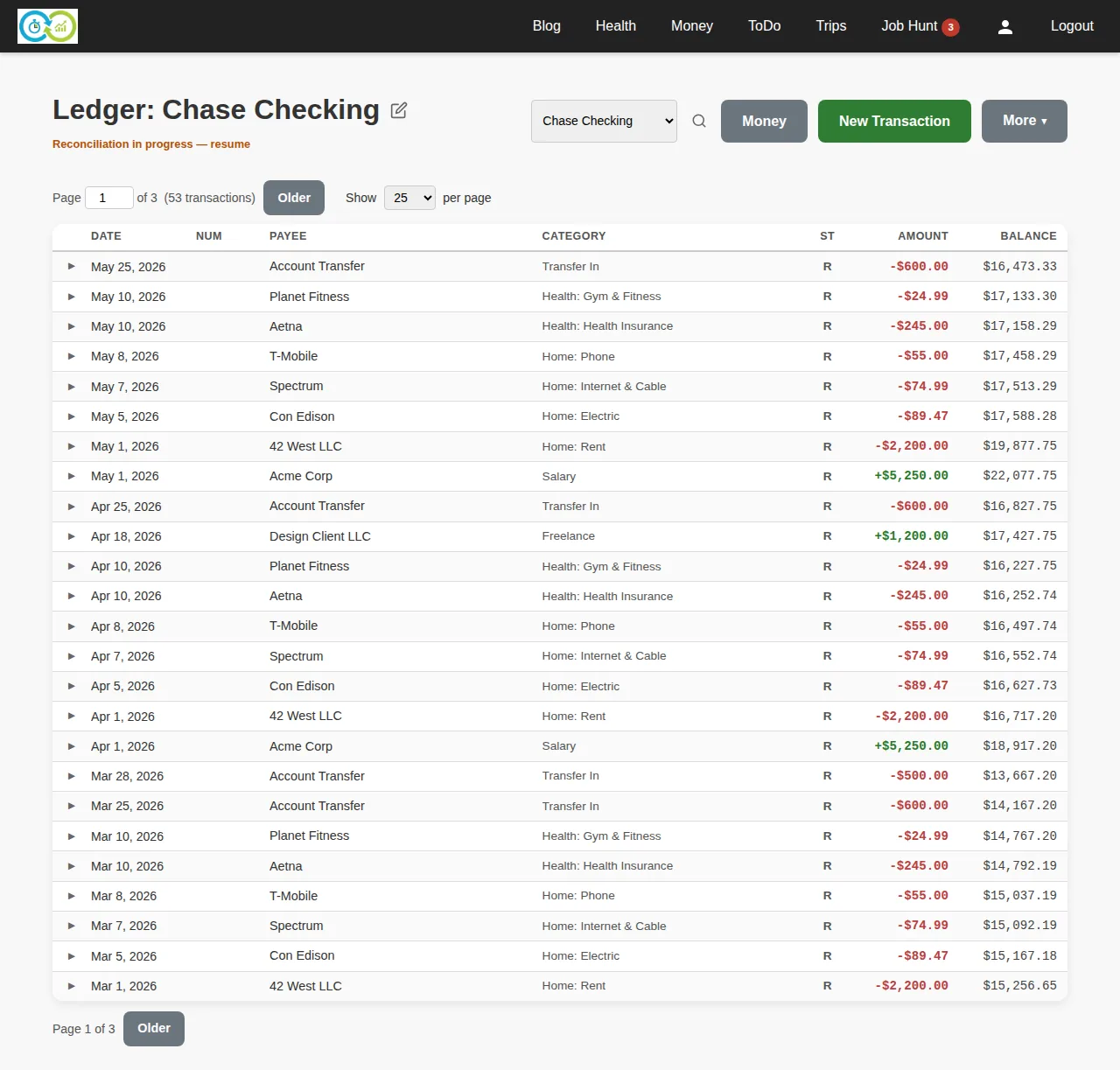
Each account has a ledger: every transaction with its running balance.
Add a transaction with New Transaction:
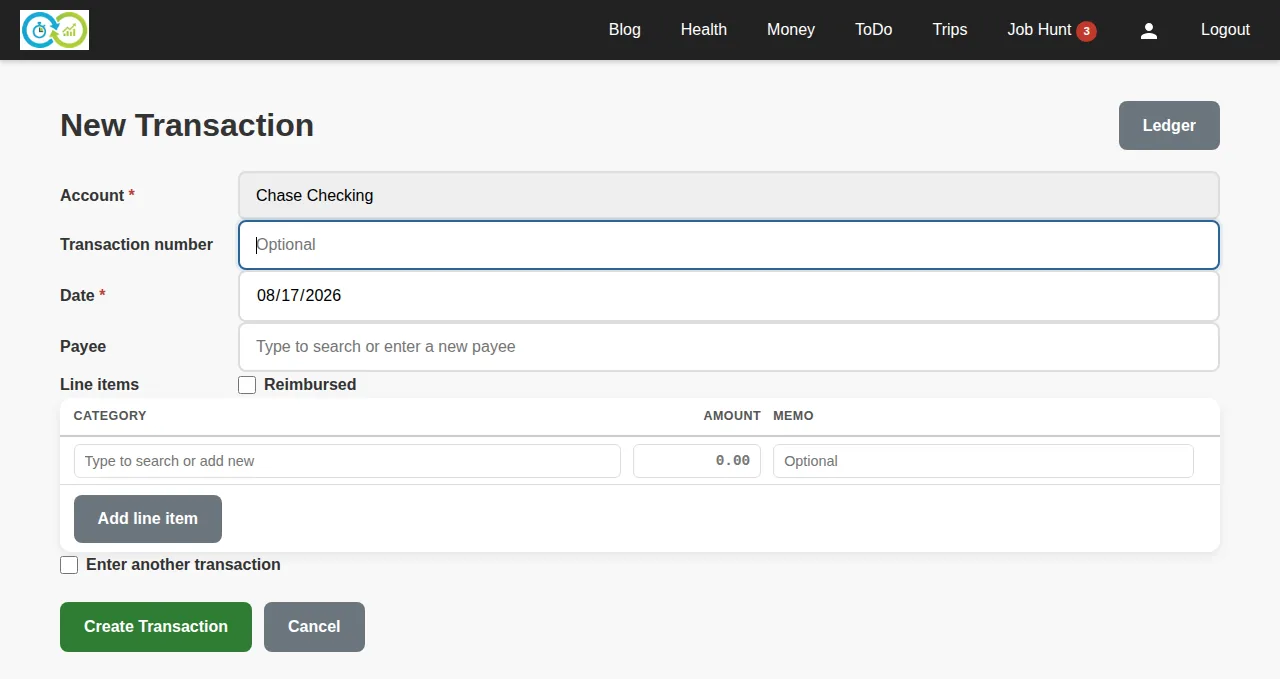
Required: account, date, and at least one line item with an amount. Optional: transaction number (check number), payee, memo per line, and a reimbursed flag. Positive amounts are deposits; negative amounts are spending.
Split transactions are the point of line items: one purchase can be split across several categories (e.g. a single store receipt split between Groceries and Household). Add rows with Add line item; the transaction total is the sum of its lines.
Typing in the payee or category boxes searches your existing ones and offers to create new ones — you don't have to set them up in advance.
Categories
Categories organize spending and income for reports. Required: name and category type (income or expense). Optional: a parent category, for a two-level hierarchy (e.g. Auto → Fuel). Manage them from the Money section's Categories page, where you can also see per-category activity.
Payees
Payees are who money went to or came from. Required: name and status. Renaming a payee updates it everywhere; retiring one hides it from new-transaction suggestions without touching history.
Recurring transactions
For predictable bills and income (rent, salary, subscriptions), create a recurring transaction. Required: name, frequency (how many), and frequency unit (days/weeks/months/…). Optional: the next occurrence date. When an occurrence comes due, KTO shows it so you can record it into the ledger with one click — nothing posts without you.
Related pages
- Import, Reconciliation, Reports & Search — getting data in from your bank, checking the ledger against statements, and analyzing spending.
- Investments & Net Worth — portfolios, assets, and the net-worth view.