
Trips
Trips builds day-by-day travel itineraries: where you're staying, what you're doing, how long it takes to get between stops, and what it all costs. Open Trips from the navigation bar.
Creating a trip
Required: name, start date, and end date. Optional: destination, who's traveling, notes, and the trip's start/end locations (e.g. home) — set those and KTO can include the drive there and back in the plan. One day is created automatically for every date in the range; changing the dates later adds or removes empty days (days holding items are never silently deleted).
The itinerary
A trip's page lists every day and its items in order:
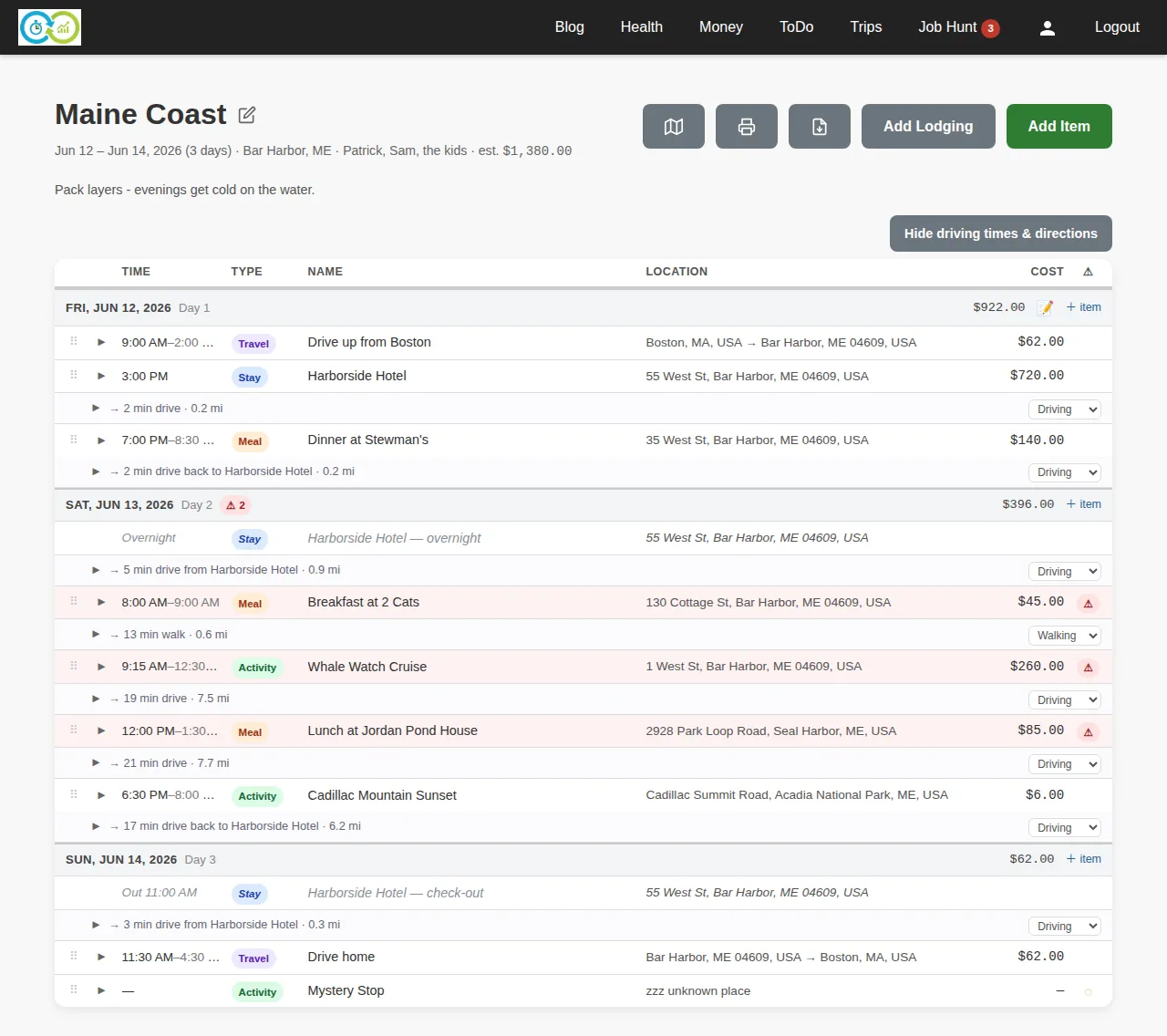
Add things you're doing with Add Item:
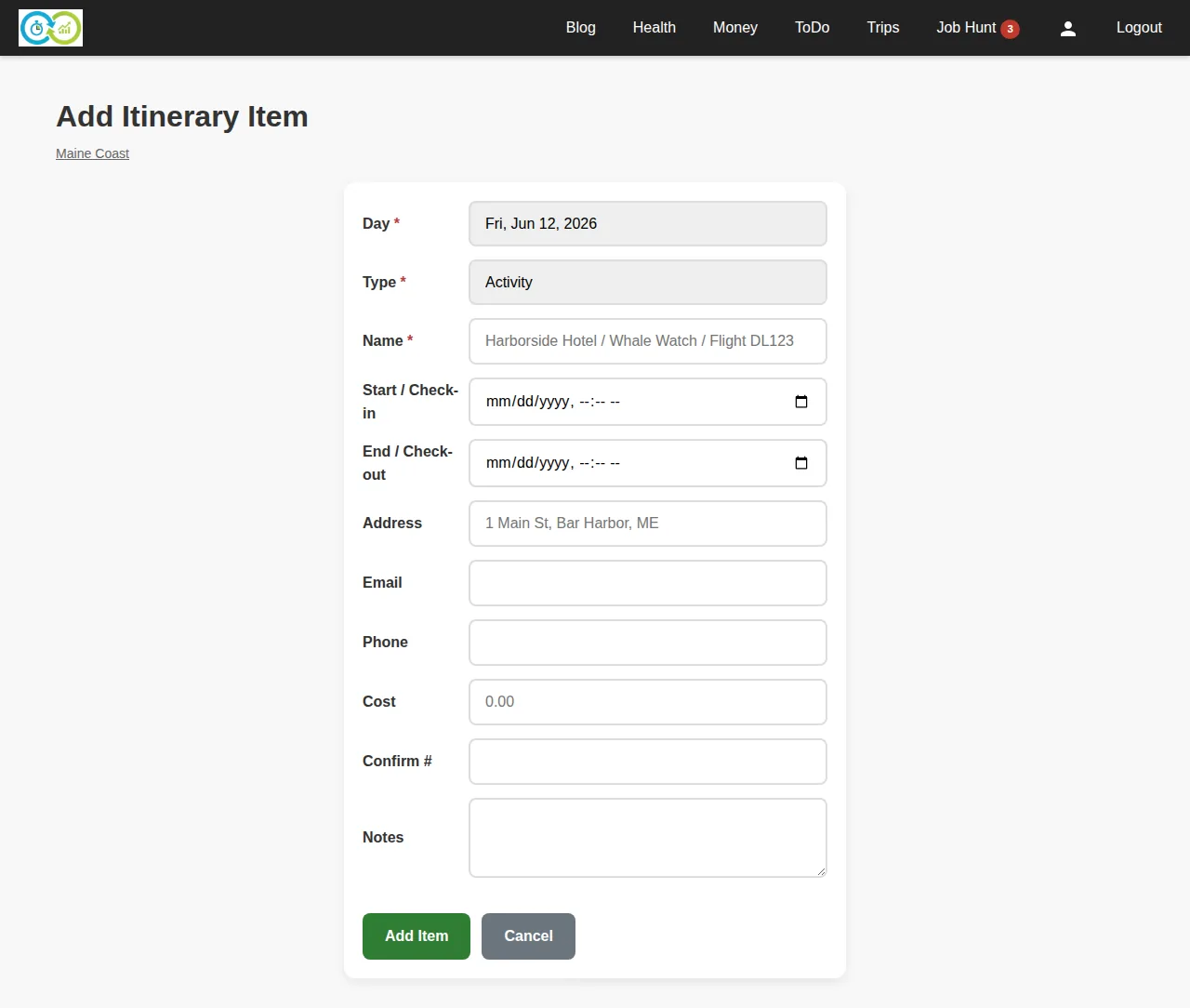
Required: the day, the item's type (activity, meal, or transport), and a name. Optional: start/end times, location name and address, cost, a link, confirmation number, phone, email, and notes. Items with times sort themselves chronologically; untimed items sink to the end of the day. You can also drag items to reorder a day by hand — once you do, your order wins.
Lodging is added with its own button since it spans nights. Required: name, check-in date and time, and check-out date and time. Optional: address, contact details, cost, and confirmation number. Nights in between show automatically on each day of the stay.
Addresses autocomplete as you type. Located items get travel legs between consecutive stops — estimated driving (or walking/transit — switch per leg) time and distance. The itinerary flags conflicts: overlapping stays, or too little travel time between stops.
Costs roll up per day and per trip, so the estimated total is always visible.
Map, print, and PDF
The icon buttons on a trip open:
- Map — the trip's located items on a map, per day.
- Print — a printer-friendly itinerary.
- PDF — the itinerary as a downloadable PDF; each day is also available as its own PDF from the day page. If the trip shows driving directions, the PDF can include turn-by-turn steps.