
Resume Builder
The Resume Builder assembles a resume from structured pieces — contact info, work history, education, awards, references, activities — and exports a clean PDF. Open Job Hunt in the navigation bar, then Resume.
Building the resume
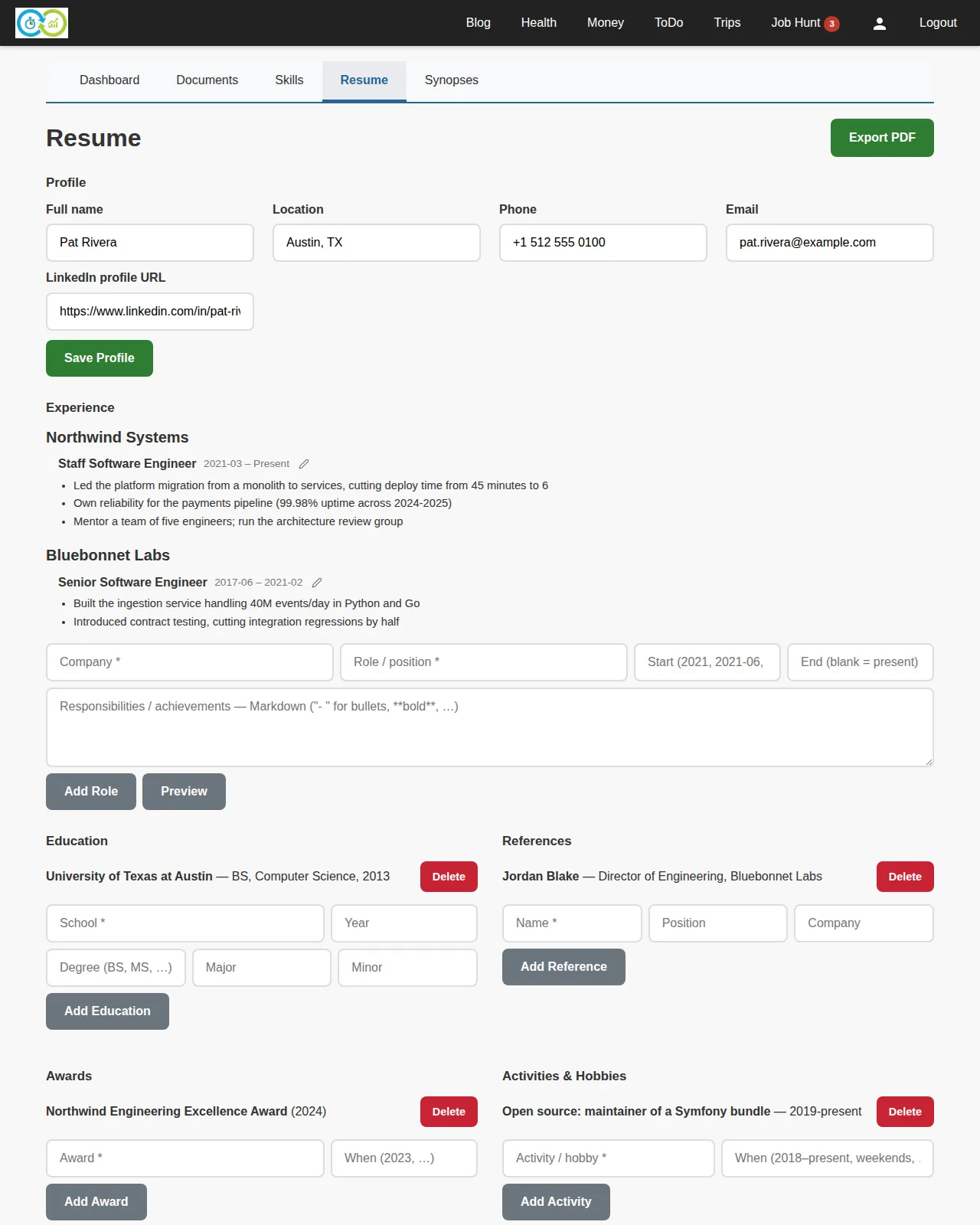
The page is one long editor, section by section:
- Profile — your name, location, phone, email, LinkedIn URL. All optional, but a resume without a name won't get far.
- Work history — add a role with its company, title, and start date (required); end date (blank = present) and responsibilities are optional. Responsibilities take Markdown —
-for bullet points,**bold**. - Education — school is required; year, degree, major, and minor are optional.
- References — name required; position and company optional.
- Awards — award title required; when optional.
- Activities — name required; time period optional.
Everything saves in place; edit or remove entries any time. Fields whose placeholder ends in * are the required ones on the quick-add rows.
Exporting a PDF
Export renders the resume as a PDF. Before downloading you choose exactly which pieces to include — untick a role, a reference, or a whole section for a targeted version of the resume. The selection isn't saved, so each export can differ.
The resume here is also what fit analysis compares against job postings.